
WooCommerce SMS Notifications Without an SMS Plugin: One Code Snippet and Your Own Phone
Send order confirmed, shipped and on-hold texts from WooCommerce with one PHP snippet in the Code Snippets plugin and your own Android phone. Copy-paste code, replies included.
TL;DR
- WooCommerce has no built-in SMS. The usual answer is an SMS plugin: a licence, a cloud provider account behind it, a per-message fee, and access to every order.
- You do not need one. WooCommerce fires a hook on every order status change. About sixty lines of PHP catch it, build a text from the order, and post it to the textbee send endpoint. Your Android phone sends it from your own number.
- The code lives in the free Code Snippets plugin, not in
functions.php. It survives theme updates, switches off in one click, and a fatal error disables the snippet instead of the site. - A second snippet receives replies through a REST route and adds them to the order as a note, so "can you leave it with the neighbour?" lands where the person packing the order sees it.
- Both snippets are below, ready to paste. Setup takes about ten minutes.
Why a snippet, and why Code Snippets
Every WooCommerce SMS plugin does the same three things: listen for an order status change, fill a template, call an SMS API. That is not much code. What the plugin adds is a settings screen, a subscription, and usually a resold cloud provider with a fee on every text.
Writing those three things yourself is shorter than reading the plugin's settings page. The question is where the code lives.
functions.php is the classic answer and the wrong one: a theme update overwrites it, and one missing semicolon takes the whole site down. The Code Snippets plugin stores each snippet in the database, runs it on every request, keeps it through theme changes, and switches off a snippet that throws a fatal error rather than the site. WooCommerce's own developer docs recommend it for exactly this kind of customization.
What you need
- A WordPress site with WooCommerce and the Code Snippets plugin installed and active. The free version runs PHP snippets.
- A textbee account, the Android app on the phone that holds the SIM, and an API key from the dashboard. The quickstart takes about five minutes.
- A host that lets PHP make outbound HTTPS requests. Nearly all do.
Step 1: put the API key in wp-config.php
Open wp-config.php and add this line above the comment that says stop editing:
define( 'TEXTBEE_API_KEY', 'YOUR_TEXTBEE_API_KEY' );The key then stays out of the database and out of any snippet export. If you cannot edit wp-config.php on your host, the snippet below defines the same constant when it is missing, and you can put the key there instead.
Step 2: the send snippet
In your WordPress admin open Snippets, then Add New. Name it textbee order texts, paste the code below into the editor, keep the scope on Run snippet everywhere, and click Save Changes and Activate.
// textbee order texts: one SMS per order status change.
if ( ! defined( 'TEXTBEE_API_KEY' ) ) {
	define( 'TEXTBEE_API_KEY', 'YOUR_TEXTBEE_API_KEY' );
}
define( 'TEXTBEE_DEFAULT_COUNTRY_CODE', '+1' ); // Added to numbers typed without one.

add_action( 'woocommerce_order_status_changed', 'textbee_sms_on_status_change', 10, 4 );

function textbee_sms_on_status_change( $order_id, $old_status, $new_status, $order ) {
	$templates = array(
		'processing' => 'Hi {name}, order #{order} is confirmed. Total {total}. We will text you when it ships.',
		'completed'  => 'Hi {name}, order #{order} has shipped. Reply to this text if you have a question.',
		'on-hold'    => 'Hi {name}, order #{order} is on hold until we receive your payment.',
		'cancelled'  => 'Hi {name}, order #{order} was cancelled. Reply to this text if that is a mistake.',
	);
	if ( empty( $templates[ $new_status ] ) ) {
		return;
	}
	$meta_key = '_textbee_sms_' . $new_status;
	if ( $order->get_meta( $meta_key ) ) {
		return; // Already texted for this status.
	}
	$phone = textbee_e164( $order->get_billing_phone() ?: $order->get_shipping_phone() );
	if ( '' === $phone ) {
		$order->add_order_note( 'textbee: no phone number on the order.' );
		return;
	}
	$message = strtr( $templates[ $new_status ], array(
		'{name}'  => $order->get_billing_first_name() ?: 'there',
		'{order}' => $order->get_order_number(),
		'{total}' => number_format( (float) $order->get_total(), 2 ) . ' ' . $order->get_currency(),
	) );
	$result = textbee_send_sms( $phone, $message );
	$order->update_meta_data( $meta_key, $result );
	$order->update_meta_data( '_textbee_phone', $phone ); // Lets the reply snippet find the order.
	$order->save();
	$order->add_order_note( 'textbee: ' . $result );
}

function textbee_send_sms( $phone, $message ) {
	$response = wp_remote_post( 'https://api.textbee.dev/api/v1/gateway/send-sms', array(
		'timeout' => 15,
		'headers' => array(
			'x-api-key'    => TEXTBEE_API_KEY,
			'Content-Type' => 'application/json',
		),
		'body'    => wp_json_encode( array(
			'recipients' => array( $phone ),
			'message'    => $message,
		) ),
	) );
	if ( is_wp_error( $response ) ) {
		return 'error ' . $response->get_error_message();
	}
	$code = (int) wp_remote_retrieve_response_code( $response );
	if ( $code < 200 || $code >= 300 ) {
		return 'error ' . $code . ' ' . wp_remote_retrieve_body( $response );
	}
	$body = json_decode( wp_remote_retrieve_body( $response ), true );
	return 'sent ' . ( $body['data']['smsBatchId'] ?? '' );
}

// Turns "(201) 555-0123" into "+12015550123". Numbers that start with + are kept as they are.
function textbee_e164( $phone ) {
	$phone  = trim( (string) $phone );
	$digits = preg_replace( '/\D/', '', $phone );
	if ( '' === $digits ) {
		return '';
	}
	if ( str_starts_with( $phone, '+' ) ) {
		return '+' . $digits;
	}
	if ( str_starts_with( $digits, '00' ) ) {
		return '+' . substr( $digits, 2 );
	}
	return TEXTBEE_DEFAULT_COUNTRY_CODE . ltrim( $digits, '0' );
}
How it works
- The hook.
woocommerce_order_status_changedfires on every transition and passes the order id, the old status, the new status and theWC_Orderobject. Status slugs come without thewc-prefix:processing,completed,on-hold,cancelled. - One text per status. Before sending, the function checks an order meta key for that status. After sending, it stores the result there. An order that goes on hold, back to processing and on hold again texts once per status, not once per flip.
- The phone. WooCommerce stores phone numbers exactly as typed.
textbee_e164()keeps a leading plus, turns a00prefix into a plus, and otherwise addsTEXTBEE_DEFAULT_COUNTRY_CODEand drops a leading zero. Set that constant to the calling code most of your customers use. - The result on the order. Every outcome becomes an order note:
textbee: sent 66f1...with the batch id, ortextbee: error 401 ...with the response. Support sees it on the order screen. Nobody opens a log file. - Nothing else. No settings table, no cron, no admin page. Sixty lines you can read in full.
Step 3: edit the templates
The $templates array is the whole configuration. One line per status, with three placeholders filled from the order:
| Placeholder | Comes from |
|---|---|
{name} | get_billing_first_name(), or "there" when empty |
{order} | get_order_number(), which respects sequential order number plugins |
{total} | get_total() with two decimals and the currency code, such as 48.00 USD |
Delete a line to skip that status. Add a line for a custom status a shipping plugin creates, using its slug. Keep each text under 160 characters so it goes as one segment; the templates post has order texts that fit.
Step 4: test with one order
Create an order in WooCommerce, then Orders, then Add order, with your own phone number in the billing details. Set the status to Processing and save: your phone buzzes with the confirmation, and the order notes show textbee: sent with the batch id. Change the status to Completed and save again for the shipped text.
If the note says error 401, the key is wrong. If it says error 400, read the rest of the note: the usual cause is a number the normaliser could not turn into E.164.
Step 5: the reply snippet
The text comes from a real mobile number, so customers reply to it. This snippet registers a REST route that textbee posts each reply to. It checks the signature, finds the newest order texted from that number, and adds the reply as an order note.
Add a second snippet named textbee replies, scope Run snippet everywhere, and activate it:
// textbee replies: adds each incoming SMS to the newest order texted from that number.
define( 'TEXTBEE_WEBHOOK_SECRET', 'YOUR_SIGNING_SECRET' );

add_action( 'rest_api_init', function () {
	register_rest_route( 'textbee/v1', '/inbound', array(
		'methods'             => 'POST',
		'callback'            => 'textbee_receive_sms',
		'permission_callback' => '__return_true', // The signature check below is the authentication.
	) );
} );

function textbee_receive_sms( WP_REST_Request $request ) {
	$raw       = $request->get_body();
	$expected  = hash_hmac( 'sha256', $raw, TEXTBEE_WEBHOOK_SECRET );
	$signature = (string) $request->get_header( 'x-signature' );
	if ( ! hash_equals( $expected, $signature ) ) {
		return new WP_REST_Response( array( 'error' => 'bad signature' ), 401 );
	}
	$payload = json_decode( $raw, true );
	if ( ( $payload['webhookEvent'] ?? '' ) !== 'MESSAGE_RECEIVED' ) {
		return new WP_REST_Response( array( 'ok' => true ), 200 );
	}
	$seen = 'textbee_' . md5( $payload['idempotencyKey'] ?? $raw );
	if ( get_transient( $seen ) ) {
		return new WP_REST_Response( array( 'ok' => true, 'duplicate' => true ), 200 );
	}
	set_transient( $seen, 1, DAY_IN_SECONDS );

	$orders = wc_get_orders( array(
		'meta_key'   => '_textbee_phone',
		'meta_value' => $payload['sender'],
		'limit'      => 1,
		'orderby'    => 'date',
		'order'      => 'DESC',
	) );
	if ( empty( $orders ) ) {
		return new WP_REST_Response( array( 'ok' => true, 'matched' => false ), 200 );
	}
	$orders[0]->add_order_note( 'SMS reply from ' . $payload['sender'] . ': ' . $payload['message'] );
	return new WP_REST_Response( array( 'ok' => true, 'matched' => true ), 200 );
}
Then register the route in textbee: in the dashboard open Webhooks, add one with the URL https://yourstore.example/wp-json/textbee/v1/inbound, the MESSAGE_RECEIVED event, and a signing secret. Put the same secret in the snippet.
What the snippet checks, in order:
- The signature. textbee signs the raw body with HMAC-SHA256 and your secret, and sends the hex digest in the
X-Signatureheader.hash_equalscompares it in constant time. A request without a valid signature gets 401 and does nothing. - The event. Only
MESSAGE_RECEIVEDis handled; delivery status events answer 200 and are ignored. - Duplicates. textbee retries a delivery your site did not acknowledge, with the same
idempotencyKey. A transient remembers each key for a day so a retry does not add a second note. - The order.
_textbee_phone, stored by the send snippet in E.164, is what the lookup matches against. That avoids comparing(201) 555-0123with+12015550123.
Test it by texting the phone from the number on your test order. The order gets a note within seconds. The webhooks documentation has the full payload.
Variations
Text the owner about new orders. In the processing branch, call textbee_send_sms() a second time with your own number and a short line such as New order #{order}, {total}. Many shops start with only this.
Cash on delivery confirmation. Give on-hold a template that asks for a YES reply. In the reply snippet, after the order is found, add:
if ( 'yes' === strtolower( trim( $payload['message'] ) ) && $orders[0]->has_status( 'on-hold' ) ) {
	$orders[0]->update_status( 'processing', 'Confirmed by SMS' );
}
Keep the match strict so a chatty reply does not move an order.
Only some products or shipping methods. At the top of textbee_sms_on_status_change(), loop over $order->get_items() for a product id, or compare $order->get_shipping_method() with the method name, and return when it does not match.
A tracking link. When a shipment tracking plugin stores the tracking URL in order meta, read it with $order->get_meta() and the key that plugin documents, and add a {tracking} placeholder to the completed template. Use the carrier's link as it is; carriers filter shortened links more often.
Low stock alert. A third snippet on woocommerce_low_stock that calls textbee_send_sms() with your number and $product->get_name().
Limits
- One phone sends about 10 to 15 texts a minute. Order updates fit that pace comfortably; a flash sale with thousands of orders in an hour queues on the phone. Add a second phone in the same account, or text fewer statuses.
- Text only, no MMS. A message over 160 characters goes as several segments, each counted against the plan.
- The send runs inside the status change. For card payments that happens after the customer has paid, so the checkout does not wait on it. A busy store can hand the send to Action Scheduler so the status change returns at once.
- Keep order texts free of promotions. A shipping text with an offer in it becomes marketing, which needs separate consent and a working STOP. The compliance checklist covers the rules.
Cost
Code Snippets is free. WooCommerce is free. textbee's pricing is a flat monthly plan with messages included: no per-message fee, no number rental, no carrier surcharge. The per-text cost is whatever your phone plan charges for SMS, which on most plans is nothing.
Frequently asked questions
Does this work with high-performance order storage?
Yes. Both snippets use only the WC_Order getters, update_meta_data(), save() and wc_get_orders(), which work with the legacy posts table and with HPOS.
Which status means shipped?
In stock WooCommerce, completed is the status a store sets when the order has been sent, which is why the completed template says shipped. If a shipping plugin adds a shipped status, add that slug to the array and remove completed so the customer gets one text.
What if the customer typed the phone without a country code?
textbee_e164() adds TEXTBEE_DEFAULT_COUNTRY_CODE and drops a leading zero. Set that constant to your store's calling code. A number the phone cannot reach comes back as a MESSAGE_FAILED webhook, and the order note holds the batch id to look it up.
Can I pause the texts without deleting the snippet?
Deactivate it in Snippets. Orders keep changing status and no texts go out. Activate it again and only new status changes send; nothing is sent late for the gap.
Will a WooCommerce or theme update remove it?
No. Code Snippets stores the snippet in its own table and runs it on every request, whatever the theme or other plugins do. Export it from Snippets to keep a copy with your backups.
Does this work for Shopify too?
Not with PHP, but the same idea works with a Shopify Flow workflow. See send SMS from Shopify with Shopify Flow.
Next steps
- The WooCommerce integration page has the same setup in reference form, plus a prompt you can hand to an AI agent to adapt the snippet for you.
- Send SMS from PHP covers the send endpoint outside WordPress.
- Order and delivery notifications covers which events deserve a text and which do not.
Get more textbee in Google Search
Add textbee.dev as a preferred source. Our posts show up more often in your Google results.
You may also like

Send Text Messages from PHP: SMS Gateway and API Tutorial with Your Android Phone
Send real text messages from PHP using textbee and your Android phone as the SMS gateway. Native cURL, Guzzle, and Laravel Http examples: zero per-message fees.
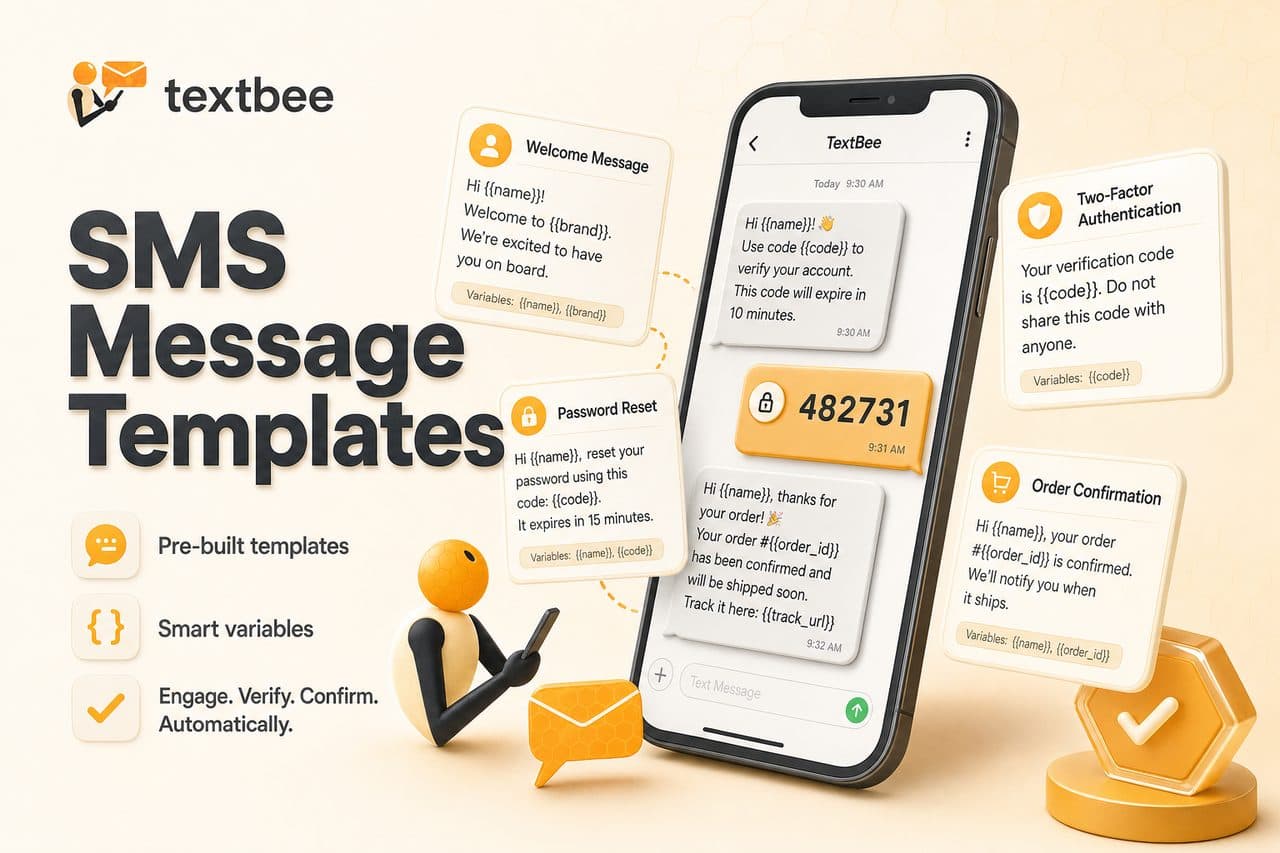
SMS Message Templates: 2FA, Order Updates, and Reminders
Ready-to-use SMS templates for 2FA, order confirmation, shipping, appointment reminders, and alerts. Copy, customize, and use with textbee.dev.

How to Receive SMS and Process Webhooks with textbee
Set up inbound SMS webhooks with textbee. Payload structure, signature verification, Node.js and Python handler examples, STOP keyword handling, OTP reply capture, and local testing with ngrok.